Introduction
Welcome to the Quicksort brand guidelines. This toolkit sets out the basic elements of our identity: the logo, typography, colour, icons, the pivot, figures and motion, and explains how to use them.
Following these guidelines keeps every page, deck and post recognisably Quicksort. For the thinking behind the system, see the studio.
Tokens
Start from the colour and type tokens used on quicksort.fr. Copy them into any project with one click.
--ink: #141414;  --paper: #F3F0E8;  --lime: #CCFF00;
--font-sans: "Host Grotesk";  --font-mono: "Martian Mono";
Contents
Logo
The Quicksort logo is our signature. It stands for the company wherever it appears: on the site, in decks, in documents and on screen at events.
The mark is a circle with a wedge cut out and a dot set apart: a list split at the pivot. The wordmark is set in Martian Mono, the typeface we use for data.
Overview
The logo exists in two forms: the full logo and the mark.
The full logo is the default, wherever space allows. The mark alone is for small or square places: favicons, avatars, the corner of a slide.
Clearspace
To keep it clear and strong, the logo always has space around it.
The clear space (x) equals the diameter of the dot in the mark. Keep it on all sides.
Scalability
The logo works from a browser tab to a conference screen.
Keep the full logo at least 20px high. Below that, use the mark alone, down to 16px.
Resources
Download the mark as SVG, for light and dark grounds.


Typography
Two typefaces, two weights. Host Grotesk carries the words; Martian Mono carries labels, numbers and the wordmark.
Use regular and medium only, sentence case everywhere, and set every figure in Martian Mono so numbers line up and read as data.
Typefaces
Both are free on Google Fonts. Don’t substitute them.
Scale
Sizes for desktop. Headlines scale down fluidly on smaller screens.
Colour
Colour does the sorting. Ink and paper carry almost everything; lime marks the one thing that matters.
Click any colour to copy its value.
Colour palette
Quicksort Ink and Quicksort Paper are the core palette and the main drivers of recognition.
Paper is the default ground for pages; ink is for case studies, films and anything that should feel like a stage.
Lime
Lime is the pivot. It appears once per view: the dot in a label, the bar that matters, the button to press.
On paper, lime always gets a thin ink edge so it stays visible. Never use lime for text on paper.
Stone
The stone scale is for structure and hierarchy: secondary text, rules, borders and quiet backgrounds.
Stone never competes with lime.
Tokens
The full set of colour tokens, as used in the site’s stylesheet.
--ink: #141414;      --ink-2: #1a1a1a;
--ink-line: #2a2a2a; --ink-line-2: #3a3a3a;
--paper: #f3f0e8;    --paper-2: #faf8f3;
--stone-200: #e4e1db; --stone-300: #b8b4ad;
--stone-400: #8e8a83; --stone-500: #736c61;
--stone-600: #55504a; --lime: #ccff00;
Icons
Fifteen pixel icons, drawn on a grid in one colour. Three of them (agents, chip, compass) carry a small lime accent.
Use them at 20, 24 or 28px, never smaller, and always next to a word.
The pivot
In the algorithm, the pivot is the value everything is sorted around. In the brand, it is our secondary element: the single lime mark on screen.
It must not be used as the logo, repeated for decoration, or turned into a pattern.
One per view
One pivot draws the eye straight to the decision. Several pivots cancel each other out, so use lime once per view.
Figures
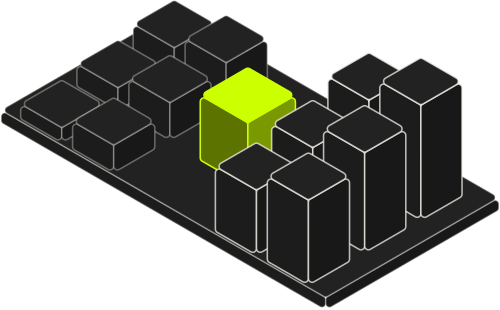
Isometric figures explain one idea each, with the lime part as the decision. Use them on service and case-study pages, not on event covers or in place of data.
Motion
Motion follows the sort: elements arrive in order and the lime pivot lands last, with a small bounce.
Loops are kept for films and social posts, always muted. Everything respects reduced-motion settings.
stagger 28ms per line0.7s · cubic-bezier(.34,1.56,.64,1)1.2–1.4s · cubic-bezier(.2,.7,.2,1)0.25s ease · 4pxfinal state, no transitionAgents
The whole system is packaged as an Agent Skill: the rules, the tokens, the logo, the icons and the figures. Install it once and your AI agent (Claude Code, Cursor, Codex and others) will design in the Quicksort style and fetch any element when it needs it.
1 · Install the skillnpx skills add quicksort-sas/design-skills
Or download it and unzip it into your agent’s skills folder:
unzip quicksort-design-skill.zip -d ~/.claude/skills/
“Make a LinkedIn cover for our next event in the Quicksort style.”
“Turn these numbers into a chart with one lime pivot.”
“Give me the bank icon as an SVG at 24px.”
“Review this slide against the Quicksort brand rules.”